For commissioned artists
A practical guide to drawing grid maker
A drawing grid maker turns a favourite photo into a reference you can measure. It is useful whenever a subject has proportions that are hard to hold in your head: a tilted head, a bicycle, an architectural facade, or the spaces between flowers in a still life. With matching cells on the reference and drawing surface, you can locate each part by comparison. This lowers the pressure to make a perfect outline at the start and makes correction easier before the work becomes detailed.
Set up the drawing grid maker with the scale of the final piece in mind. A small practice sketch benefits from fewer, larger cells. A larger commissioned drawing may justify more divisions, provided you can still read the image clearly. Draw construction lines softly on the destination paper, then transfer landmarks and broad contours. Check across cell borders frequently so curves remain continuous. The label option can guide a deliberate left-to-right or top-to-bottom pass, but it is optional if a clean reference is more useful to you.
This page combines the working editor and the explanation so there is no separate destination to navigate. Your chosen image stays in local browser memory while Canvas draws the grid. You can alter its colour, opacity, width, dimensions, and tonal treatment, then save the result as a PNG or JPG. For physical work, select A4, A3, or US Letter to see exact millimetre intervals and export a PDF that states the same instructions. It is a drawing grid maker designed for a simple, private preparation step.
Before adding detail, check the overall height and width, the main axis, and the largest negative spaces. The drawing grid maker makes those comparisons concrete. Once they agree, smaller features tend to settle more naturally, and you can save an early export as a record of the construction plan.
A drawing grid maker is most helpful when you establish a correction loop. After blocking in three connected rows, put the drawing and printed reference side by side at arm’s length. Compare the centre line, the silhouette crossings, and the largest negative spaces—not the texture. If a cat’s near ear crosses the border one-quarter of a cell earlier in the drawing, correct the larger shape before you shade. This check is faster than relying on a phone held above the work and gives a commission a dependable rhythm.
A drawing grid maker earns its place in a commission through the correction loop it enables. After blocking three connected rows, put the paper beside the printed reference at arm's length. Compare the centre line, silhouette crossings, and the largest empty shapes before looking at texture. This short pause catches a head that is too high or a leg that begins too early while the work is still easy to alter.
Use the grid to diagnose the first point of disagreement. If a cat's near ear enters the border one-quarter of a cell earlier on the drawing, move that larger shape before you shade it. Then inspect its neighbours rather than erasing the entire head. The aim is not to fill squares in order; it is to use each square as evidence for a continuous form.
Set up the paper with a real ruler routine. Choose A4, A3, or US Letter in the tool, note the millimetre intervals in the exported PDF, and make matched ticks on opposite sides of the drawing rectangle. Verify several intervals and the total span before joining them. This protects the physical transfer from a small drift that would otherwise appear only at the far edge.
A studio handoff becomes clearer when the export is named with its approved crop, size, and grid count. The person who begins the block-in can use the overlay, while the person who finishes the work can keep an unmarked original next to it. This matters across graphite, coloured pencil, paint, and tablet work because location and visual interpretation are separate tasks.
Choose density for the correction you expect to make. Broad cells are excellent for a bicycle, a full-body animal, or an architectural facade because they expose long angles and negative spaces. A close face may need more divisions near its landmarks. Do not turn every commission into a microscopic coordinate exercise; excessive boxes make a reference harder to read and corrections less intelligible.
Get crop approval before starting the loop. A customer may ask for a little more shoulder, less background, or room for a name below the drawing. Make a new overlay from the revised clean crop rather than stretching old ruler lines into a new layout. Minutes of preparation prevent a detailed drawing from being built on a frame the client never wanted.
The browser processes the source locally and can export image files for a screen or a print-ready PDF for the studio table. That privacy boundary is useful when portraits involve family homes, memorial animals, or children in the reference. Once corrections no longer reveal structural changes, erase the construction grid and let the medium take over.
When the reference is a close likeness, the portrait drawing grid guide covers facial landmarks; for the measured transfer itself, use the grid method walkthrough.
Continue the workflow
See Also
- grid maker for drawing
Choose a companion guide when the correction pass identifies a new drawing task.
- grid drawing
Choose a companion guide when the correction pass identifies a new drawing task.
- grid method
Choose a companion guide when the correction pass identifies a new drawing task.
- grid image
Choose a companion guide when the correction pass identifies a new drawing task.
- portrait drawing grid
Choose a companion guide when the correction pass identifies a new drawing task.
Questions answered
drawing grid maker FAQ
Can I use a drawing grid maker for painting?+
Yes. The same grid can be transferred to a canvas or board before painting.
What happens when I select black and white?+
The Canvas preview and export are rendered in grayscale so you can focus on values.
Can I make a non-square grid?+
Yes. Rows and columns are independent, so you can match a landscape or portrait orientation.
Real output
See the grid before you make one
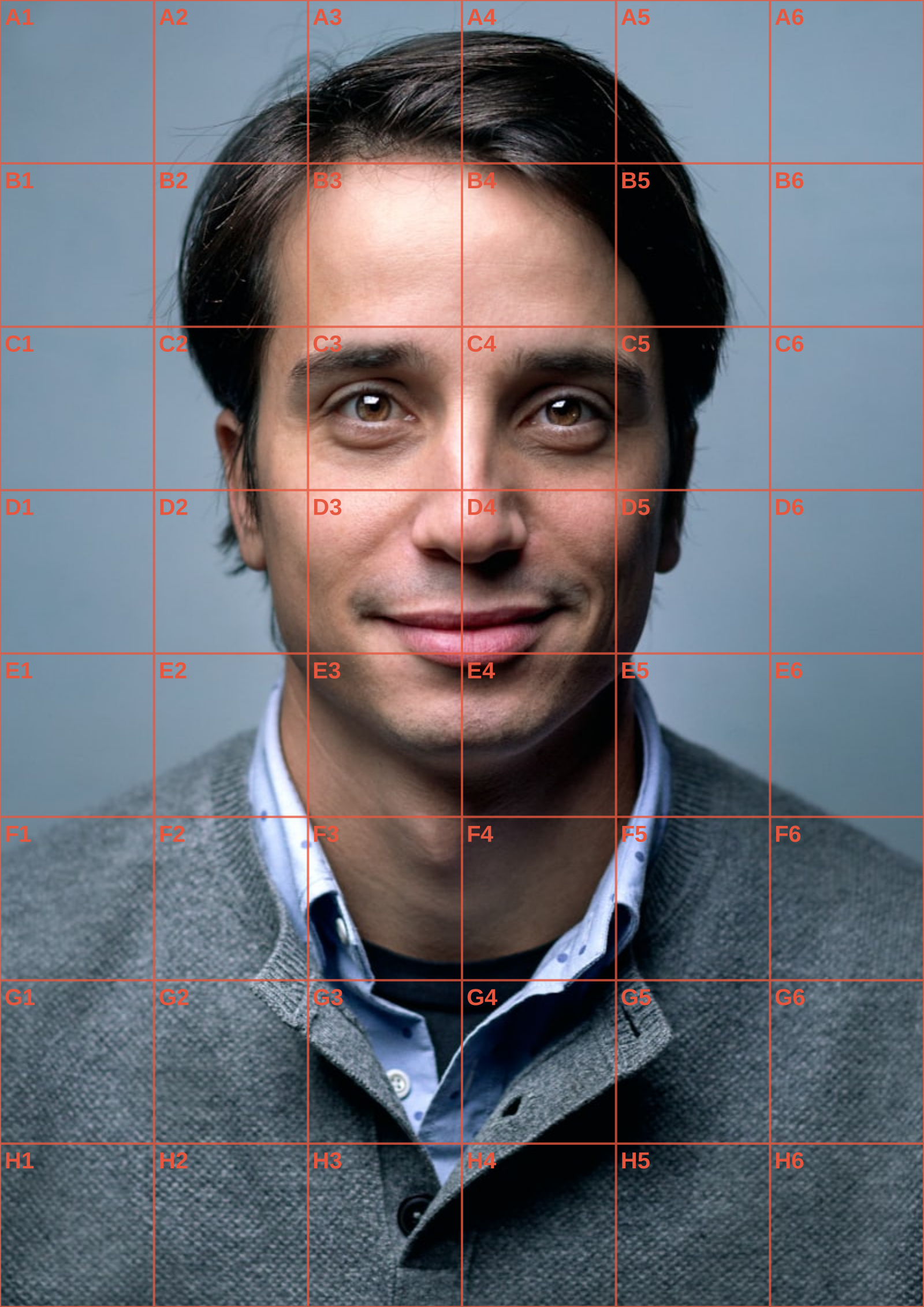
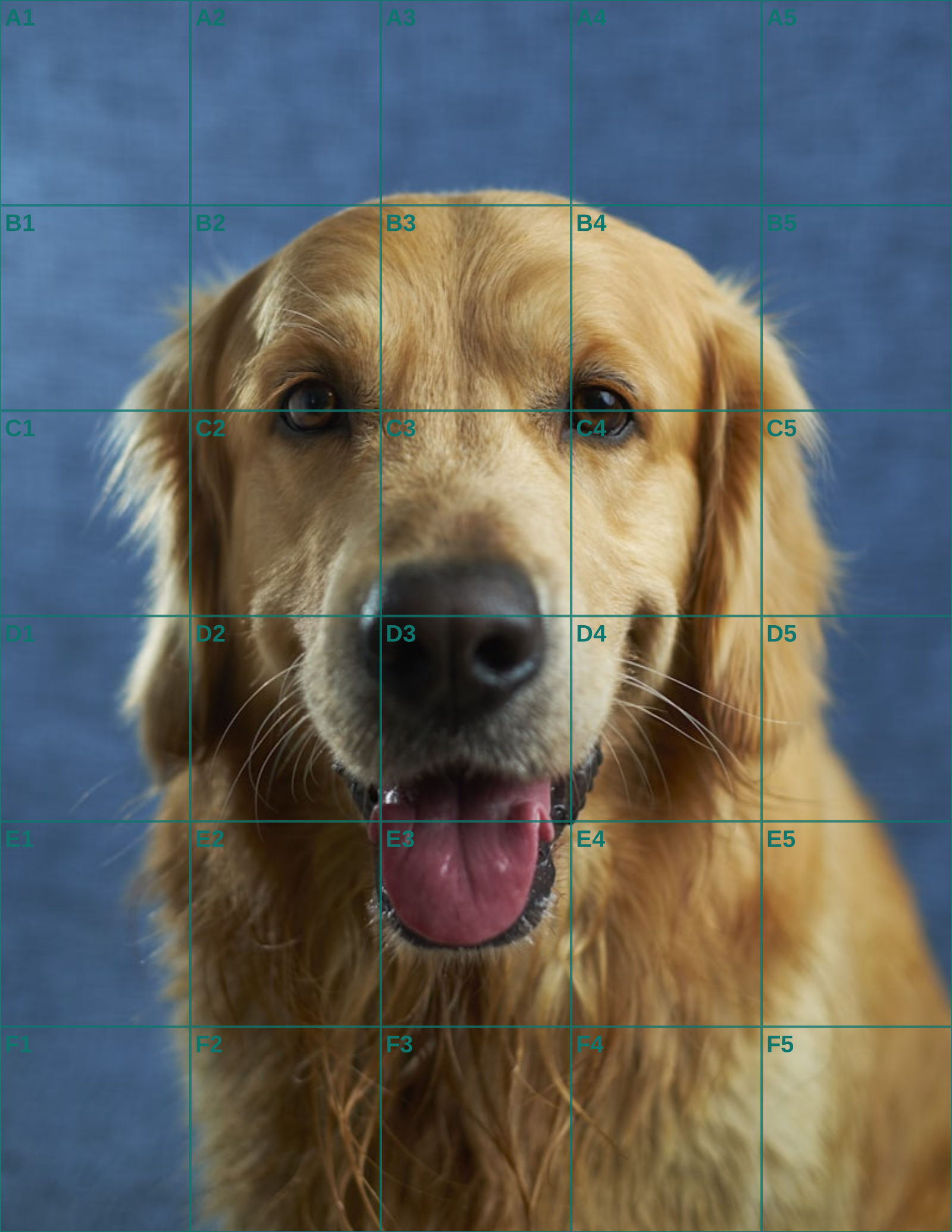
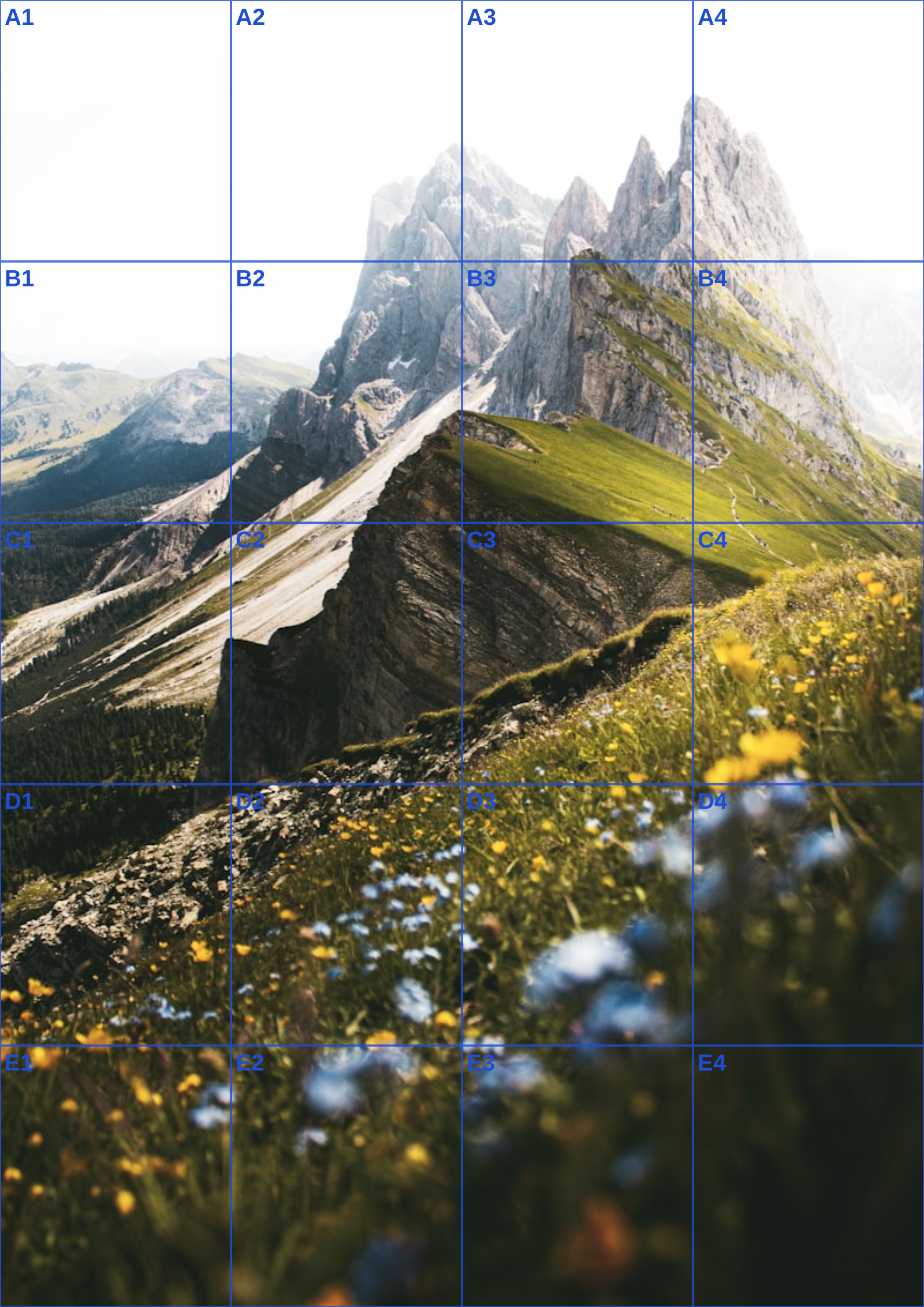
Three references run through this tool at different settings. The measurements are the spacing you would rule on paper at that size, so you can check them against a ruler after printing.