For commissioned artists
A practical guide to art gridding
Art gridding gives artists a repeatable way to move an image from one scale to another. The method works because a large visual problem becomes a set of local comparisons. You do not need to guess the overall likeness of a subject in one pass; you can locate the curve in one square, compare its distance from the nearest edge, and continue. That makes the approach valuable for careful observational drawing, especially when a composition must fit a particular canvas or wall.
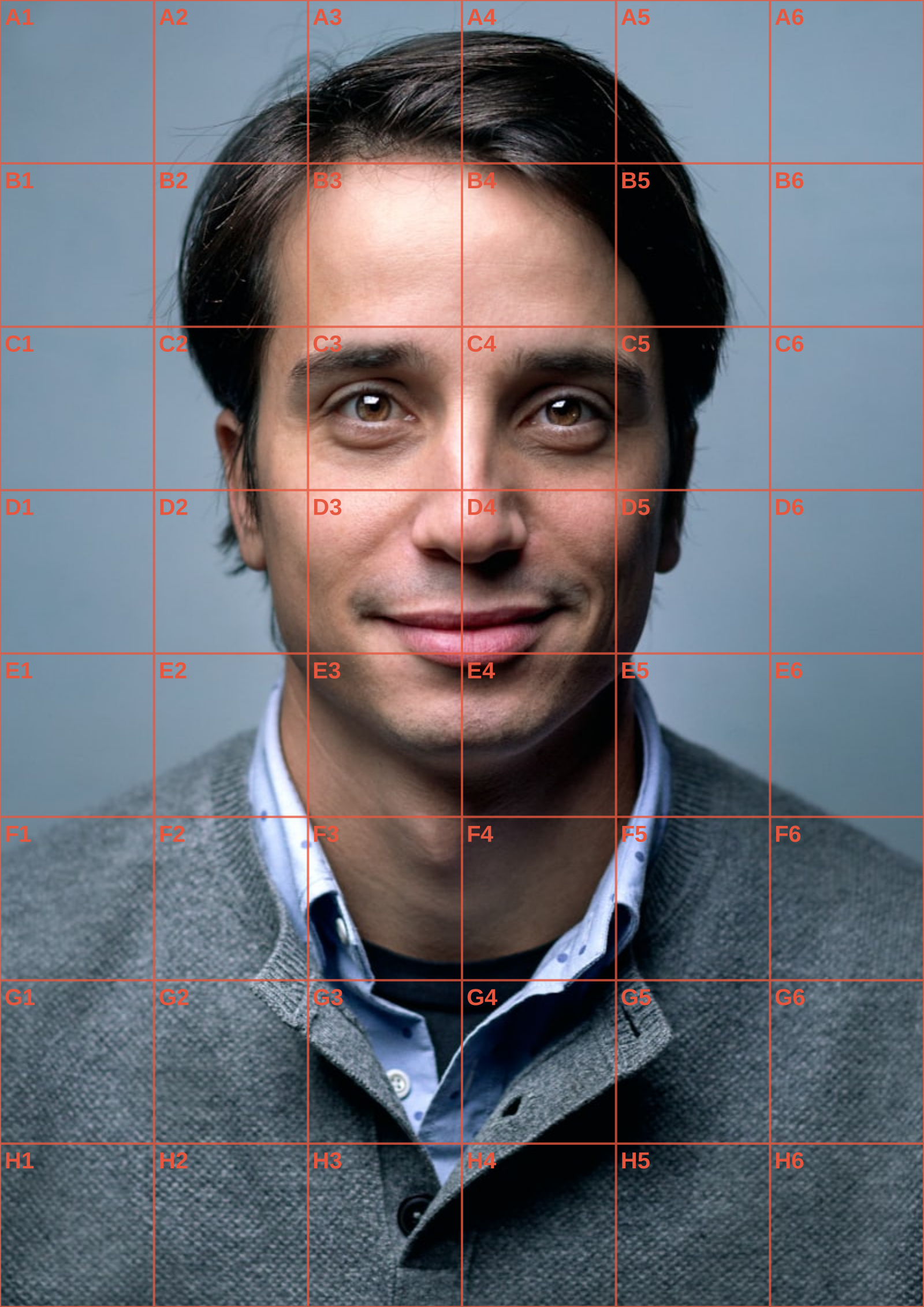
Choose a grid count that serves the scale of the finished work. A small study often needs only a few broad cells, while a large charcoal portrait can support more. Before transferring marks, establish a clean border and reproduce the reference aspect ratio on your support. Work from general shapes to narrow accents, checking neighbouring cells rather than tracing isolated fragments. In a workshop, letter-and-number labels are helpful for demonstrations: everyone can return to the same cell after stepping back from the easel.
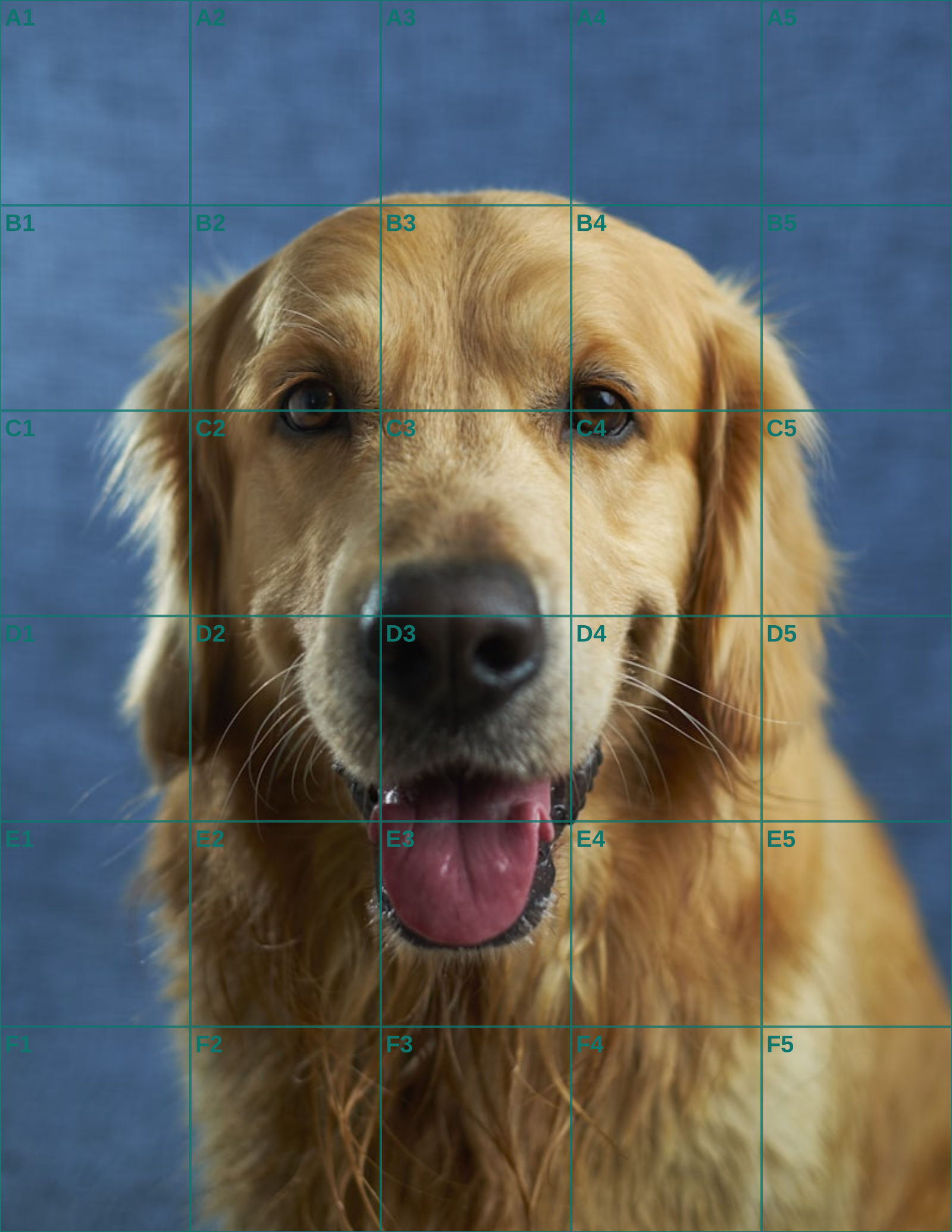
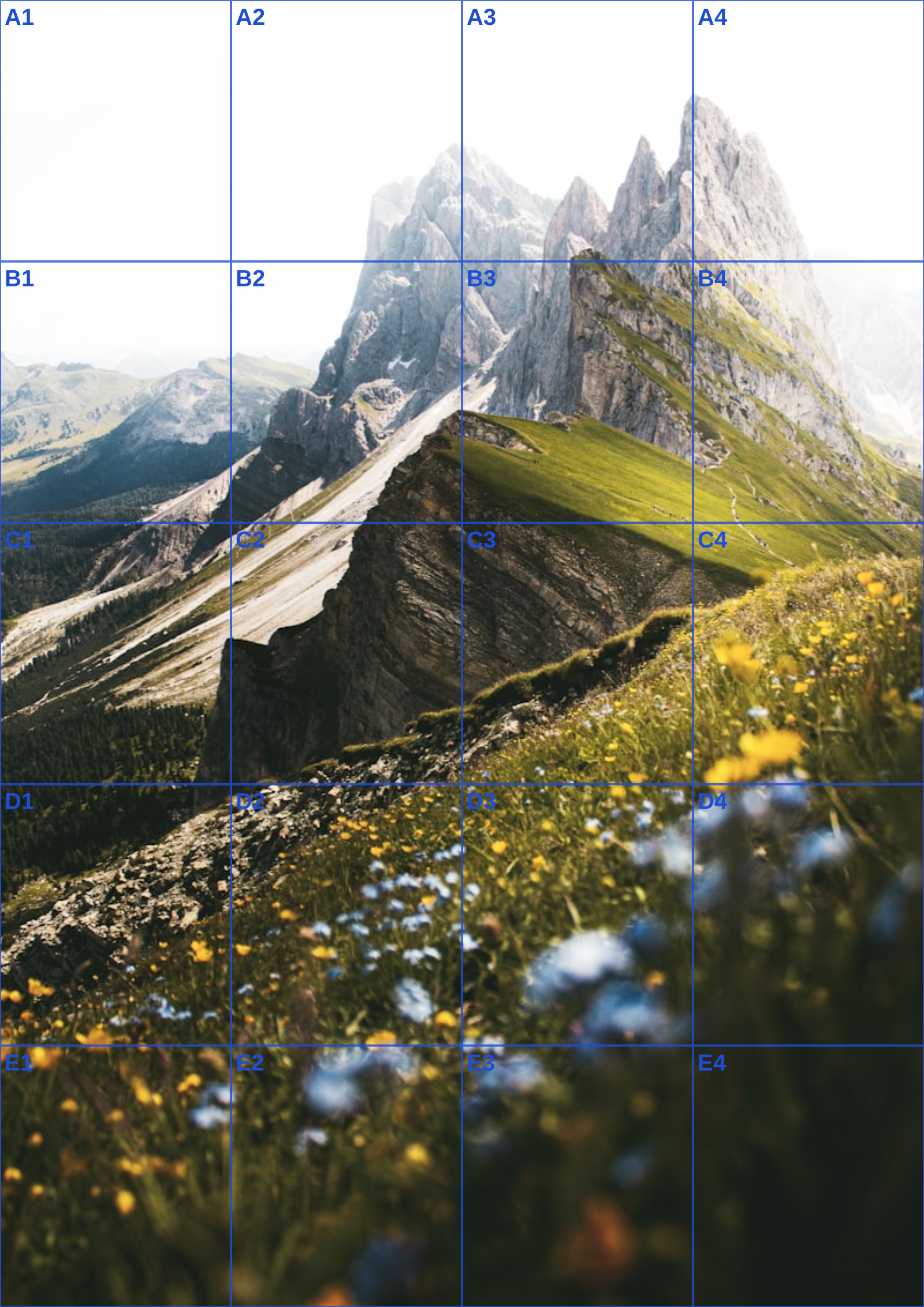
ArtGrid is built for this physical workflow. Its Canvas preview draws the overlay in your browser, and the paper setting reports exact horizontal and vertical spacing in millimetres. Use black and white when you want to read tonal structure, adjust opacity so the lines do not hide a subtle edge, and export only when the reference looks right. The PDF includes a plain-language printing guide, while PNG and JPG exports fit digital drawing workflows. No image is sent to a service, making art gridding suitable for personal work and sensitive client references alike.
Keep an unmarked copy of the reference nearby when possible. The overlay tells you where forms sit, while the clean image reminds you how the whole composition moves. That balance lets art gridding support accuracy without flattening the gesture, atmosphere, or material character you want to preserve.
Art gridding is particularly practical when a client sends several photos and asks for one pose with the colour feeling of another. Choose one image as the measured source; do not alternate between references while placing proportions. On a horse commission, for example, establish the shoulder slope and hoof positions from the chosen source, then use another image only for coat colour or a missing detail. The grid keeps the drawing coherent when visual evidence arrives from more than one photograph.
Art gridding is particularly useful when a client provides several photographs that serve different purposes. Pick one as the measured pose source before beginning; use another only for a coat colour, a hidden ear, or a lighting clue. Switching sources while placing the shoulder or paws creates a drawing that belongs to none of them. The grid gives the chosen pose a stable coordinate system while the auxiliary images remain reference, not competing geometry.
A horse commission makes this distinction clear. Establish the head angle, shoulder slope, hoof positions, and body length from one approved photograph. If a second photograph shows the mane more clearly, borrow its texture later rather than moving the anatomy to match it. The clean original should remain beside the gridded version so the artist can keep track of which visual decision came from which file.
Plan the support around the composition, including any background that helps identify a place or event. Crop once, note the final dimensions, and use a border if the image proportion does not fill the paper. The print-ready PDF states the selected paper format and millimetre intervals, making it practical to rule a matching rectangle on A4, A3, or US Letter without guessing from a screen.
Select a moderate grid for a broad animal pose. Enough rows should locate the shoulder, hip, and joint changes, but a field of tiny cells makes gesture hard to see. Transfer the longest directional lines first: back, belly, neck, and ground plane. Their crossings will reveal a proportion problem much earlier than a carefully copied nostril or a small patch of colour.
A commission often needs an explicit revision point. After the first pass of silhouette and major shadows, photograph the work or send a simple progress proof if that is part of the agreement. Compare it against the approved crop, not against a casually edited social-media version. Art gridding makes that conversation concrete: a client can identify the pose or framing before surface detail makes revision costly.
Keep ruler marks light and remove them only after the larger form is sound. The grid is a temporary instrument, whereas the final medium may need loose charcoal, layered watercolour, or a polished coloured-pencil finish. When the measured stage is complete, return to the unmarked image for atmosphere and edge quality. Accuracy should support the character of the source rather than flatten it.
Because processing happens locally, personal reference photos do not need to leave the studio computer merely to receive an overlay. Save the approved crop, the print export, and any client correspondence with clear names. That modest file discipline is more valuable to a commission artist than a cloud gallery full of indistinguishable versions.
When the reference is a close likeness, the portrait drawing grid guide covers facial landmarks; for the measured transfer itself, use the grid method walkthrough.
Continue the workflow
See Also
- art grid
Use a companion guide when the commission's next decision changes from pose to scale or crop.
- artists grid
Use a companion guide when the commission's next decision changes from pose to scale or crop.
- grid for artists
Use a companion guide when the commission's next decision changes from pose to scale or crop.
- grid method
Use a companion guide when the commission's next decision changes from pose to scale or crop.
- art grid tool
Use a companion guide when the commission's next decision changes from pose to scale or crop.
Questions answered
art gridding FAQ
What is art gridding used for?+
It is used to transfer proportions from a reference to a drawing, painting, mural, or other larger support.
Can I use different row and column counts?+
Yes. Rectangular grids are often the best match for a landscape, a figure, or a non-square sheet.
Will the exported PDF tell me how to rule paper?+
Yes. It includes the calculated millimetre interval for both directions on the chosen paper size.
Real output
See the grid before you make one
Three references run through this tool at different settings. The measurements are the spacing you would rule on paper at that size, so you can check them against a ruler after printing.