For commissioned artists
A practical guide to artists grid
An artists grid is a quiet planning tool for work that depends on proportion. It can be taped over a printed reference, ruled by hand, or added digitally before a piece begins. Its strength is not mechanical precision for its own sake. By isolating one small area at a time, it helps an artist notice sloped edges, intervals, and negative shapes that are easy to overlook when viewing a whole scene. The result can still be loose, painterly, or stylised; the grid only supports the underlying structure.
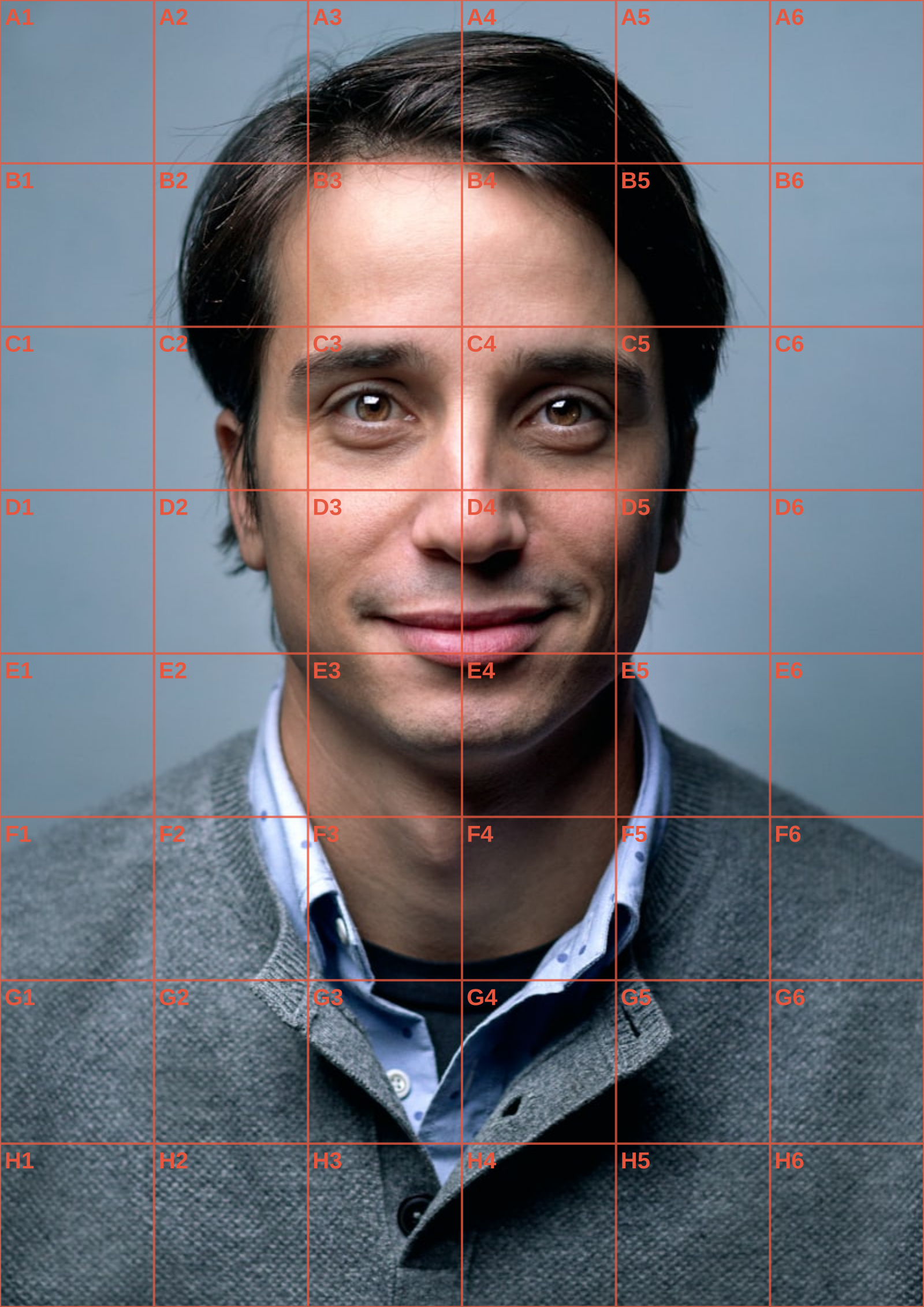
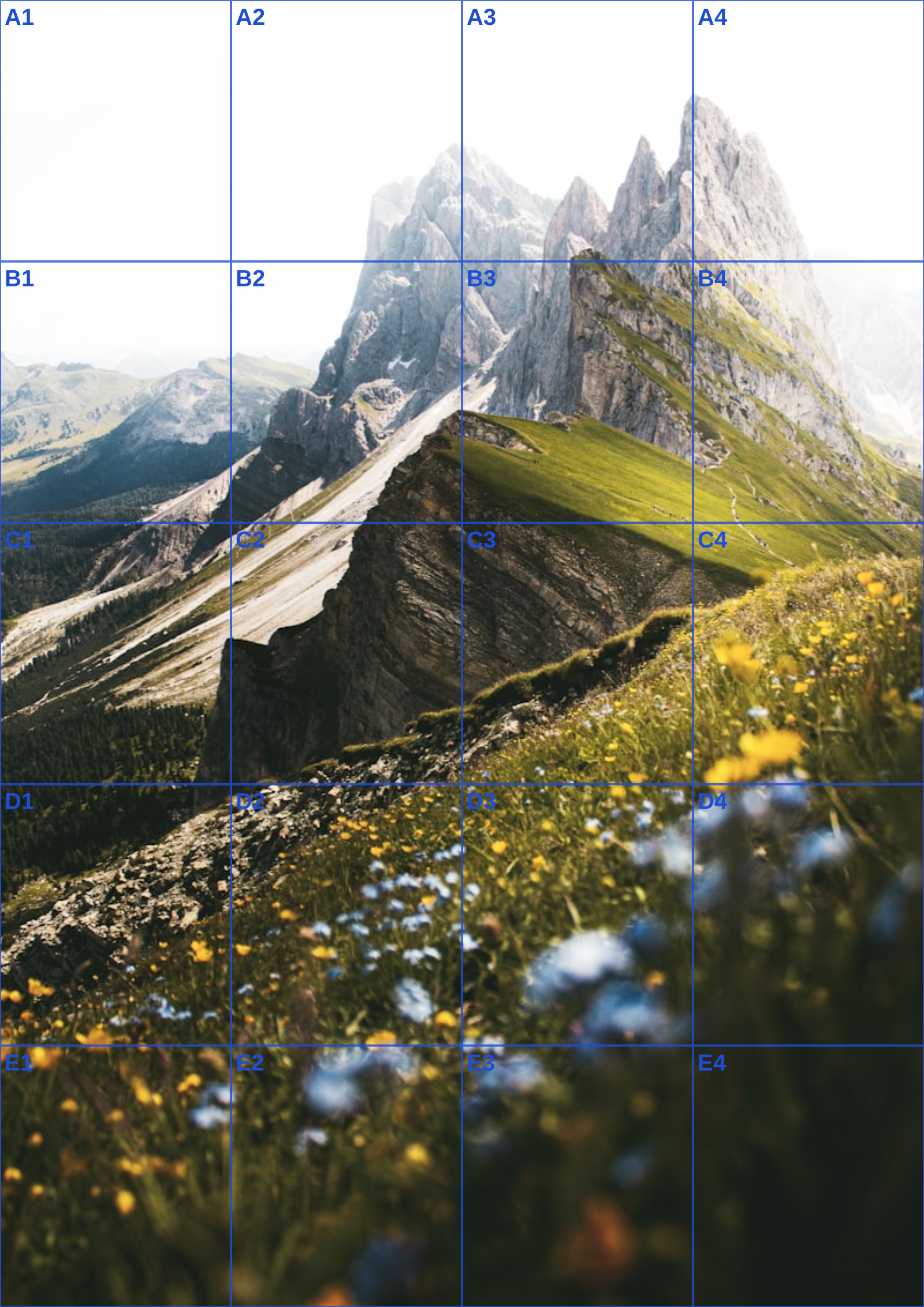
For an artists grid, make choices based on the task rather than a fixed recipe. A landscape often benefits from wide rectangular cells that make horizon placement clear. A head-and-shoulders study may need enough rows to compare the eye line, nose, and mouth, but not so many that the face becomes fragmented. Look for major directional lines before tiny features. When scaling up, increase the physical size of each cell while retaining the count, and use the grid only until the composition holds together on its own.
The editor on this page keeps those decisions visible. Its live Canvas overlay supports adjustable counts, line weight, colour, opacity, optional labels, and a grayscale image mode. Select a standard paper size to see the real-world interval between rules, then use the PDF export to carry that guide to the studio. For a digital canvas, use PNG or JPG instead. Every operation happens in the browser: no reference is uploaded and no gallery is generated from your work. That makes this artists grid a simple companion to your existing process.
Many artists use a grid only for the initial block-in, then work from an unmarked reference for expressive passages. Save both versions if that suits your process. Let the artists grid settle questions of proportion, then return your full attention to edge quality, surface, colour, and intention.
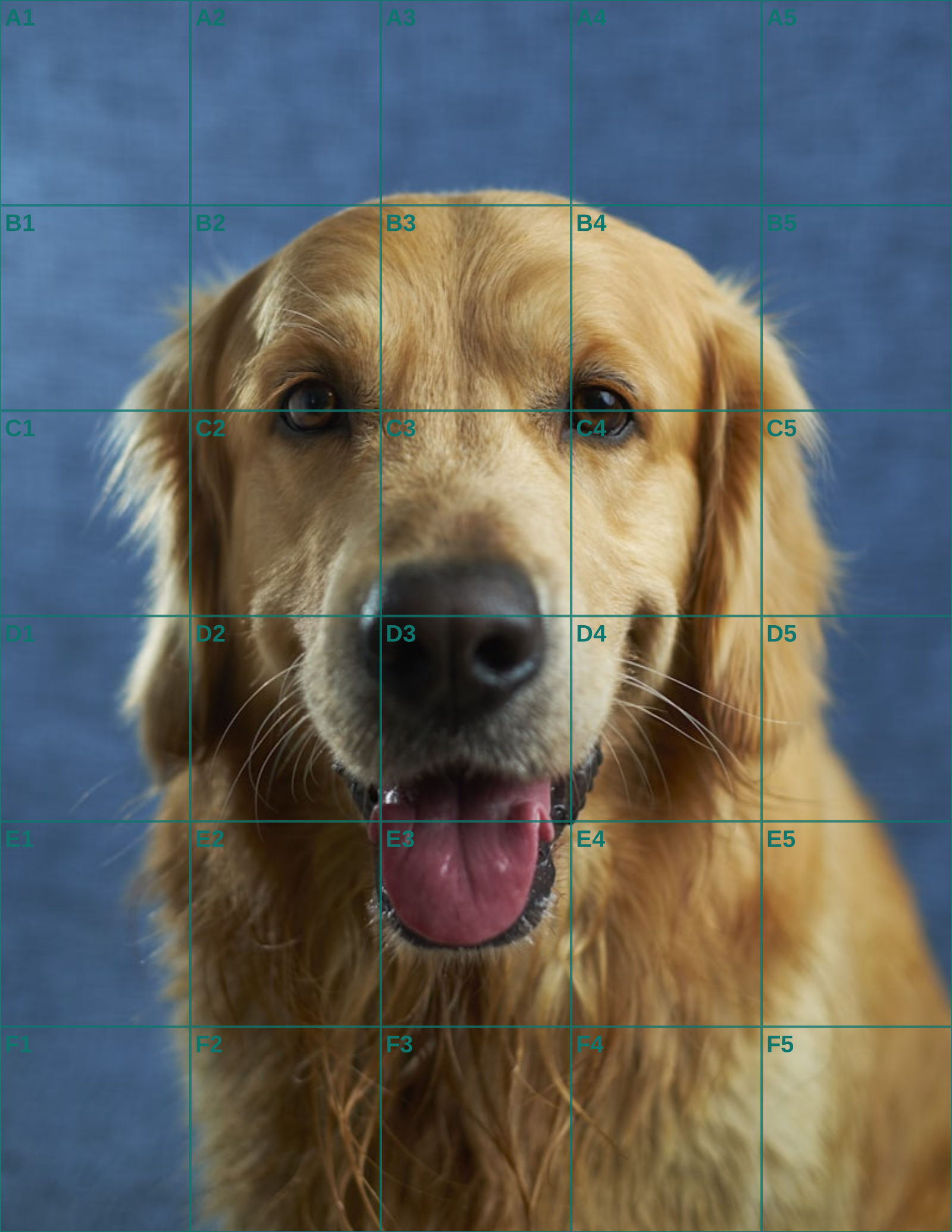
An artists grid is not an admission that the work is mechanical. Think of it as a measurement note, like a thumbnail or colour test. Chuck Close’s portrait practice is a useful reminder: he treated individual cells as abstract problems while the accumulated decisions formed a likeness. For a pet commission, use the grid to locate the arc of the skull, chest, and paws; then let edge softness, fur direction, and colour temperature do the expressive work. The client is paying for both accuracy and your hand.
An artists grid can serve a repeat customer who commissions the same animal for several display sizes. Begin with one approved crop and one row-to-column count. The small desk portrait, larger hallway piece, and digital proof can then preserve the same composition even though each physical cell changes size. The stable count lets the artist scale the structure without re-inventing where the eyes, paws, and margins belong every time.
Calculate each version from the intended support, not by enlarging a previous print blindly. A twelve-column grid on a ten-inch-wide drawing has a different physical interval from the same grid on a twenty-inch-wide canvas. Use the paper setting and PDF guide to record millimetres for each edition, then make perimeter ticks at that interval. Measuring the full width at the end catches an accumulated ruler error.
This is especially useful when one client wants a small gift and a larger companion work. The source can remain unmarked and consistent, while each export documents its own crop, paper size, and grid. Label the files plainly so that the A4 proof is never mistaken for the A3 transfer. The underlying likeness stays coherent even when the media, scale, and level of detail change.
Use the grid only through the stage where it adds value. It can establish the skull arc, chest mass, and paw placement, then disappear while the artist develops fur direction and colour temperature. The client is not paying for a mechanical surface. They are paying for accurate observation combined with the particular decisions of your hand and materials.
For a larger display piece, resist adding cells merely because there is more space. Bigger cells can preserve the gesture of a reference and make it easier to judge long curves. Add a second planning grid only where the subject truly requires it, such as the face of a close portrait. A uniformly dense field can make a large canvas feel fragmented before painting has even begun.
Schedule a whole-image review after the first scale has been transferred. Stand back far enough to see whether the subject occupies the new format with the intended weight. Check the margins and the relationship between the darkest masses before polishing local passages. A correct calculation still needs an artistic decision about how the composition feels at its display distance.
Keep the approved original, gridded exports, and final scans on your own device or studio storage. Canvas processing remains local, which is appropriate for client photographs that may be private or sentimental. The artists grid is a measurement record for repeatable work, not an excuse to treat personal images as public assets.
When the reference is a close likeness, the portrait drawing grid guide covers facial landmarks; for the measured transfer itself, use the grid method walkthrough.
Continue the workflow
See Also
- grid for artists
Use a related guide when this repeat commission changes medium, scale, or presentation.
- art gridding
Use a related guide when this repeat commission changes medium, scale, or presentation.
- art grid maker
Use a related guide when this repeat commission changes medium, scale, or presentation.
- portrait drawing grid
Use a related guide when this repeat commission changes medium, scale, or presentation.
- grid art
Use a related guide when this repeat commission changes medium, scale, or presentation.
Questions answered
artists grid FAQ
Do professional artists use grids?+
Many artists use grids for planning, enlargement, murals, and teaching; it is one of many valid measuring methods.
Should an artists grid be dark?+
Usually a modest line weight and opacity are easier to work from because they leave the underlying reference legible.
Can I use an artists grid for landscapes?+
Yes. Use a row and column count that reflects the landscape’s wide or tall composition.
Real output
See the grid before you make one
Three references run through this tool at different settings. The measurements are the spacing you would rule on paper at that size, so you can check them against a ruler after printing.